Use Weights & Biases
RecBole allows visualizing configs and metrics of different experiments with W&B.
If you are new to W&B, please set up it first.
Start with a W&B account. Create one now →
Go to your project folder in your terminal and install library:
pip install wandbInside your project folder, log in W&B:
wandb loginyour API key
You can start W&B in RecBole by passing --log_wandb=True as command
line argument, or use config dict. One can also turn log_wandb: True
in the overall.yaml file or provide it as external config file.
A Running Example:
You can run BPR model on ml-100k dataset with W&B as follow:
python run_recbole.py --log_wandb=True
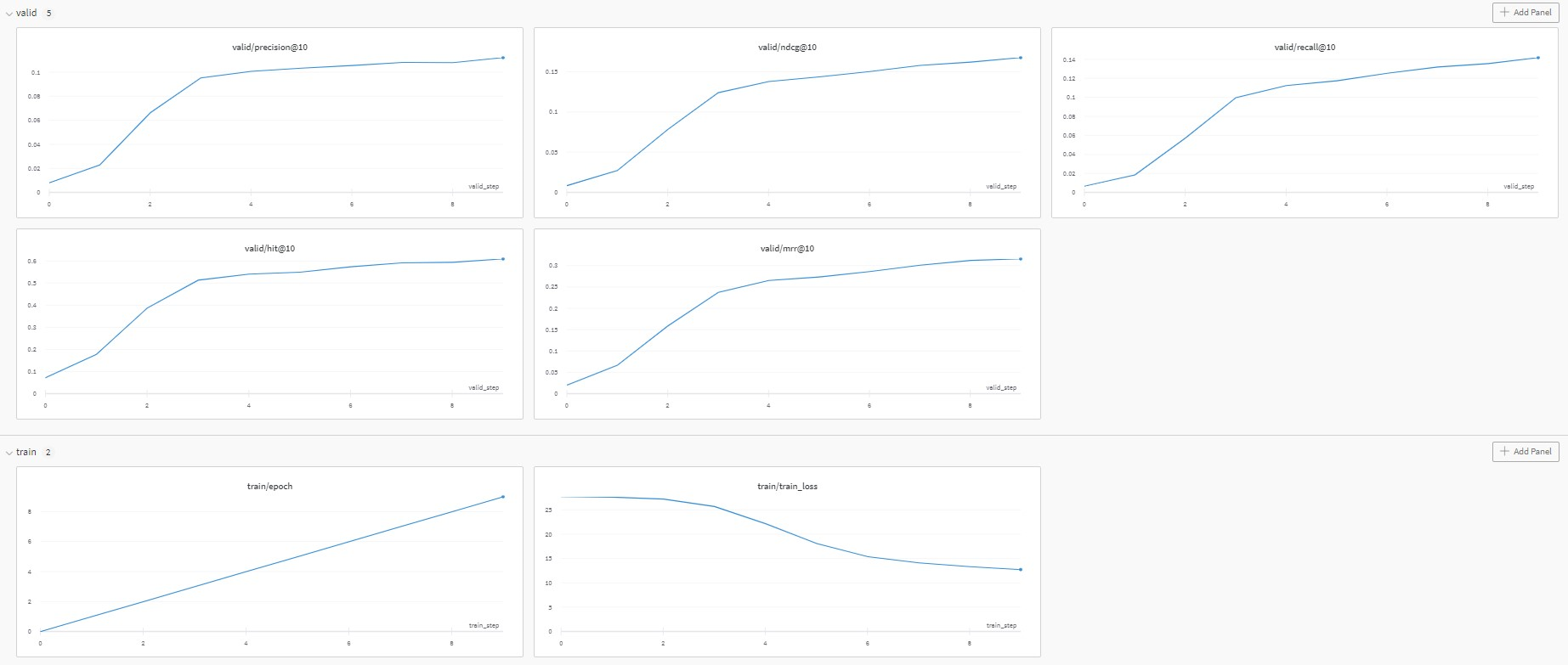
Then, go to your W&B project, you can see the following page, which shows the change of metrics during the training and validation in each epoch.
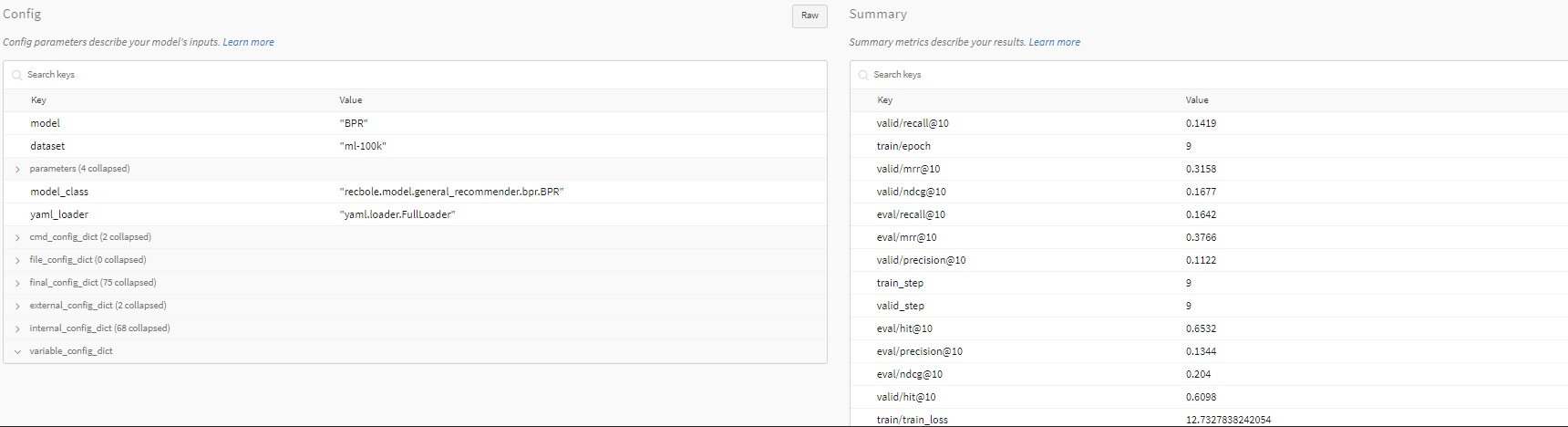
You can also check the detailed configuration information and evaluation metrics.
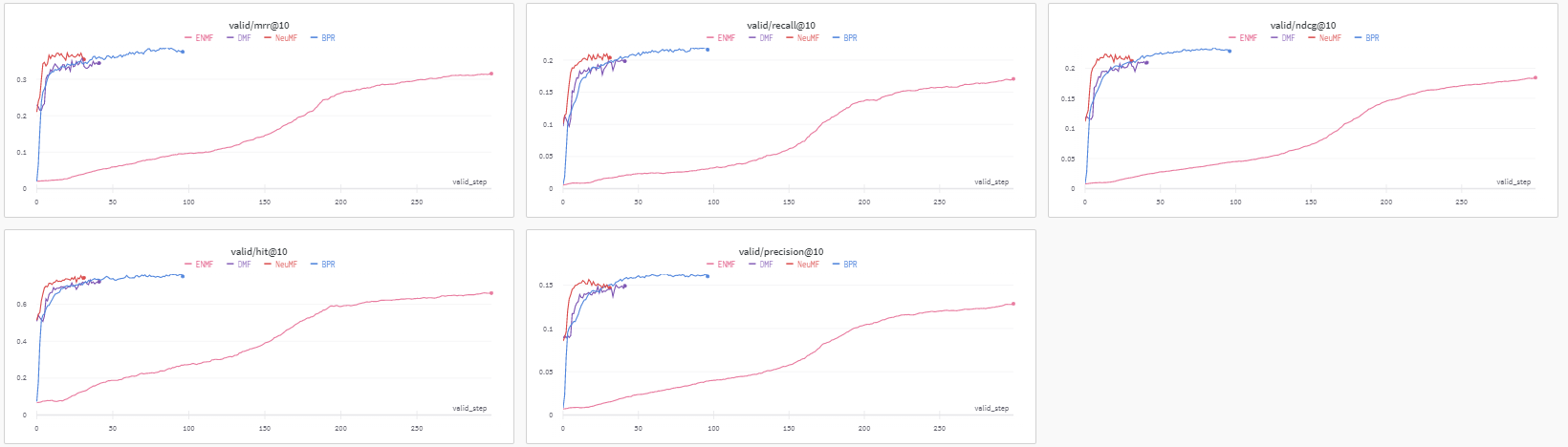
W&B also allows you to compare these metrics and configs across different experiments in the same project.

You can select different projects to experiment by modifying
wandb_project parameter, which defaults to 'recbole'.
For more details about W&B, please refer to Weights & Biases - Documentation.